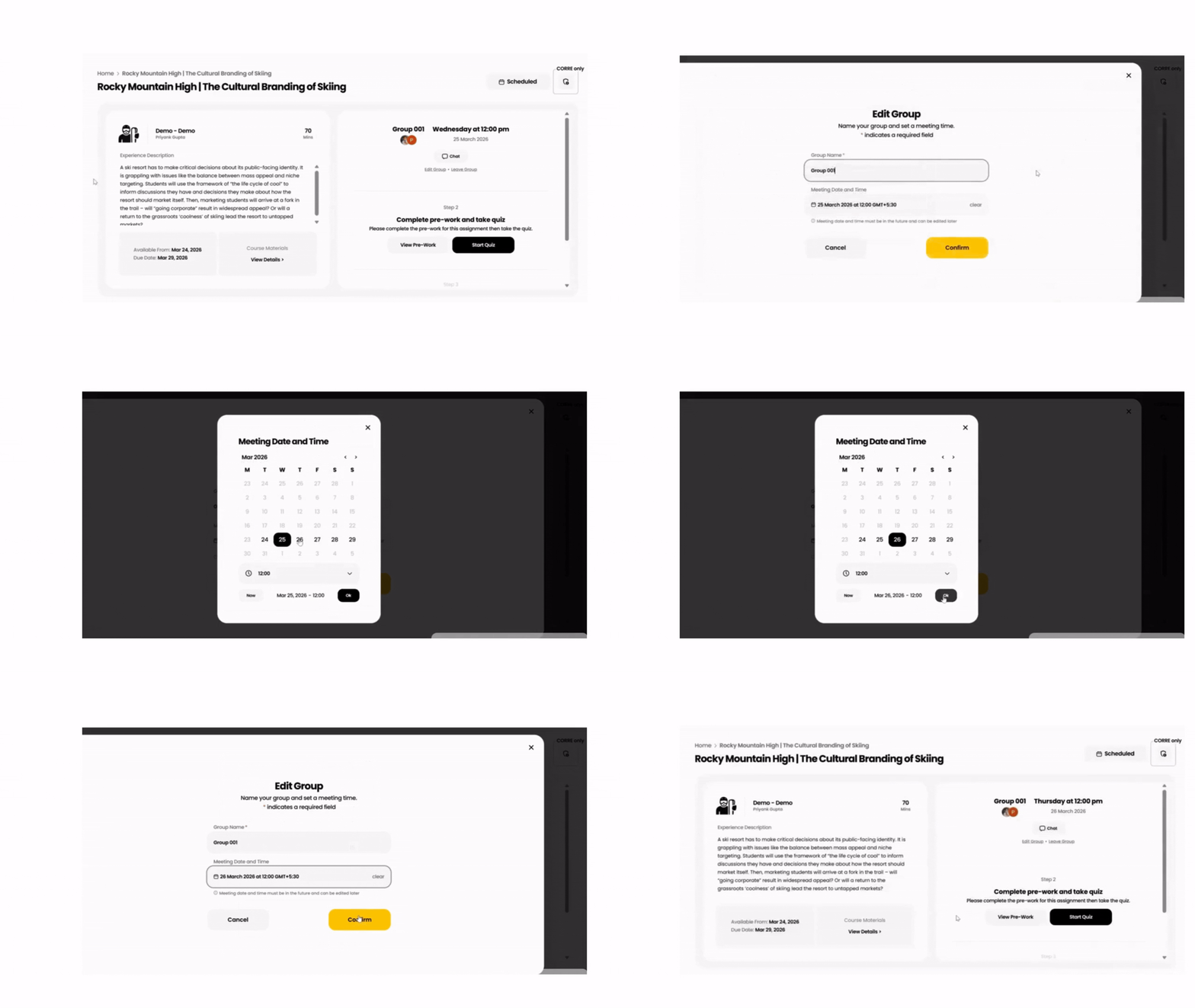
1. Open your assignment
- Open the Breakout Learning assignment.
- Click Select Meeting Time.
2. Select a meeting date and time
- Click the date field and select your preferred meeting date.
- Enter or select the desired meeting time.
- If your group is ready to begin immediately, click Select Now.
3. Save your settings
- Click Choose Date to save the meeting time.
4. Reschedule your meeting
- Open the assignment at any time before your session.
- Click Edit Group.
- Select a new meeting date and time.
- Click Confirm to save your changes.