
Yes. If you would like a Participant to complete the experience again, you can assign them to a different group that has not yet completed the session.
- Open the assignment.
- Open the group you want to add the Participant to.
- Turn off the Unassigned Only toggle in the upper-right corner.
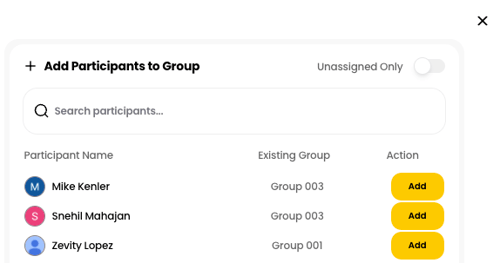
- Search for the Participant by name.
- Click Add next to the Participant's name.
The Participant will be added to the selected group and can complete the Breakout Learning experience again.